
How do I cancel snow clearing service?
Whether you need to skip a single visit or cancel your AutoPlow subscription entirely, you can manage your snow services directly within the LawnGuru app.
Skipping a single AutoPlow visit
If you don't need service for a specific storm (e.g., you've already shoveled or are out of town), you have two easy ways to opt out:
Via Text: Reply "SKIP" to the automated activation text you receive before the provider arrives.
In the App: If you have multiple properties enrolled in AutoPlow, you must skip the service within the app by following the "One-Time Service" instructions below.
Canceling a one-time snow service
To cancel a single request you’ve already placed:
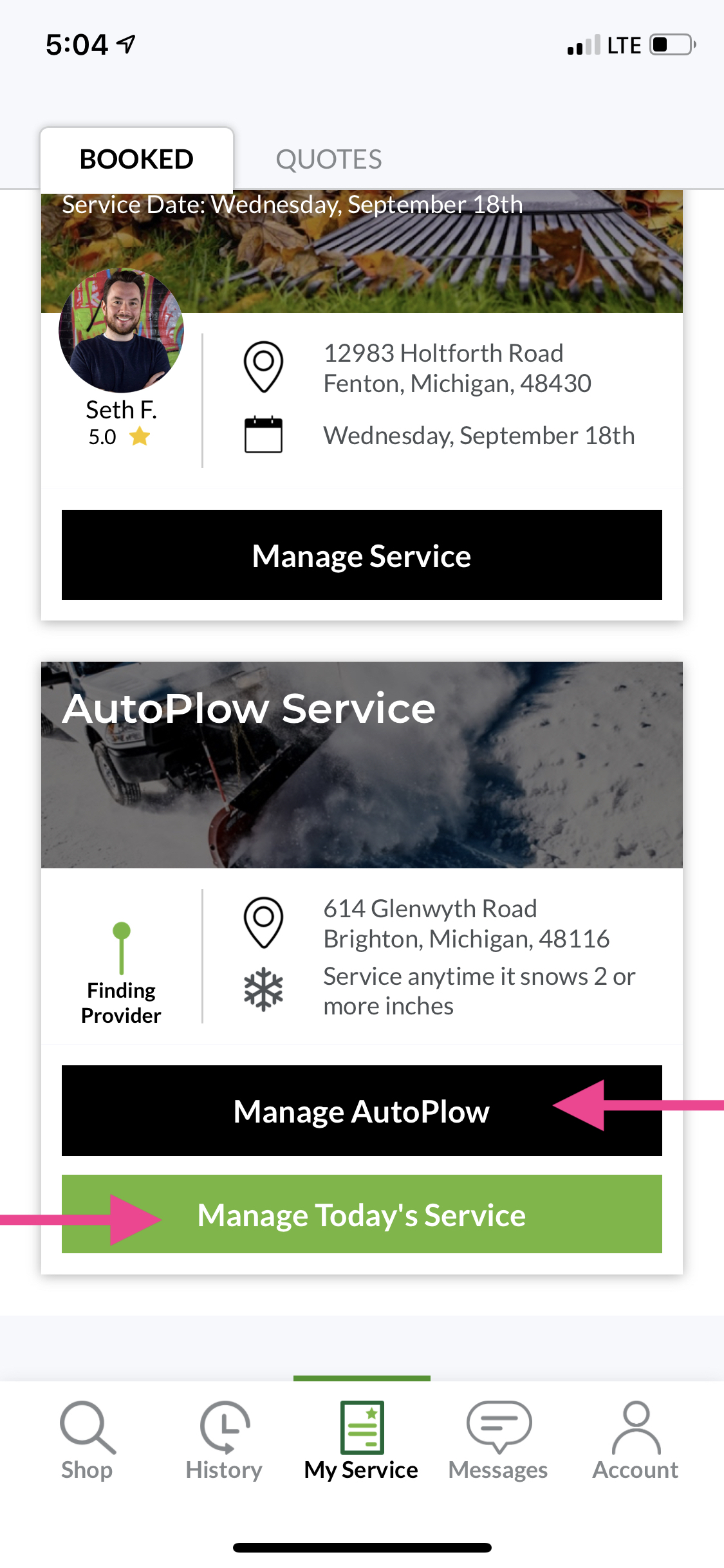
Open the LawnGuru app and tap My Service.
Tap Manage Today’s Service.
Tap the Options (•••) button.
Tap Cancel Today’s Service and confirm by tapping Yes.
Canceling an AutoPlow subscription
If you wish to stop recurring snow services for the remainder of the season:
Tap My Service in the bottom navigation bar.
Tap Manage AutoPlow.
Tap the Options (•••) button.
Select Cancel Service.
Provide a brief reason for the cancellation and follow the prompts to confirm.
Important policies to remember
Cancellation Fees: If you cancel a request while a provider is already "On My Way" to your property, a cancellation fee will apply to compensate the provider for their time and travel.
Proactive Opt-Out: To avoid unwanted charges, you must skip or cancel your service before the provider begins work. LawnGuru cannot issue refunds for services rendered if the opt-out process was not followed.
Provider Safety: Once a provider is on-site and has begun plowing, the service cannot be canceled.