
How do I cancel an additional service quote request?
If you have requested a quote for a special service (such as mulching, aeration, or shrub trimming) but no longer need the work done, you can cancel the request directly in the app.
How to cancel a pending request
Follow these steps if you have not yet accepted a provider's bid:
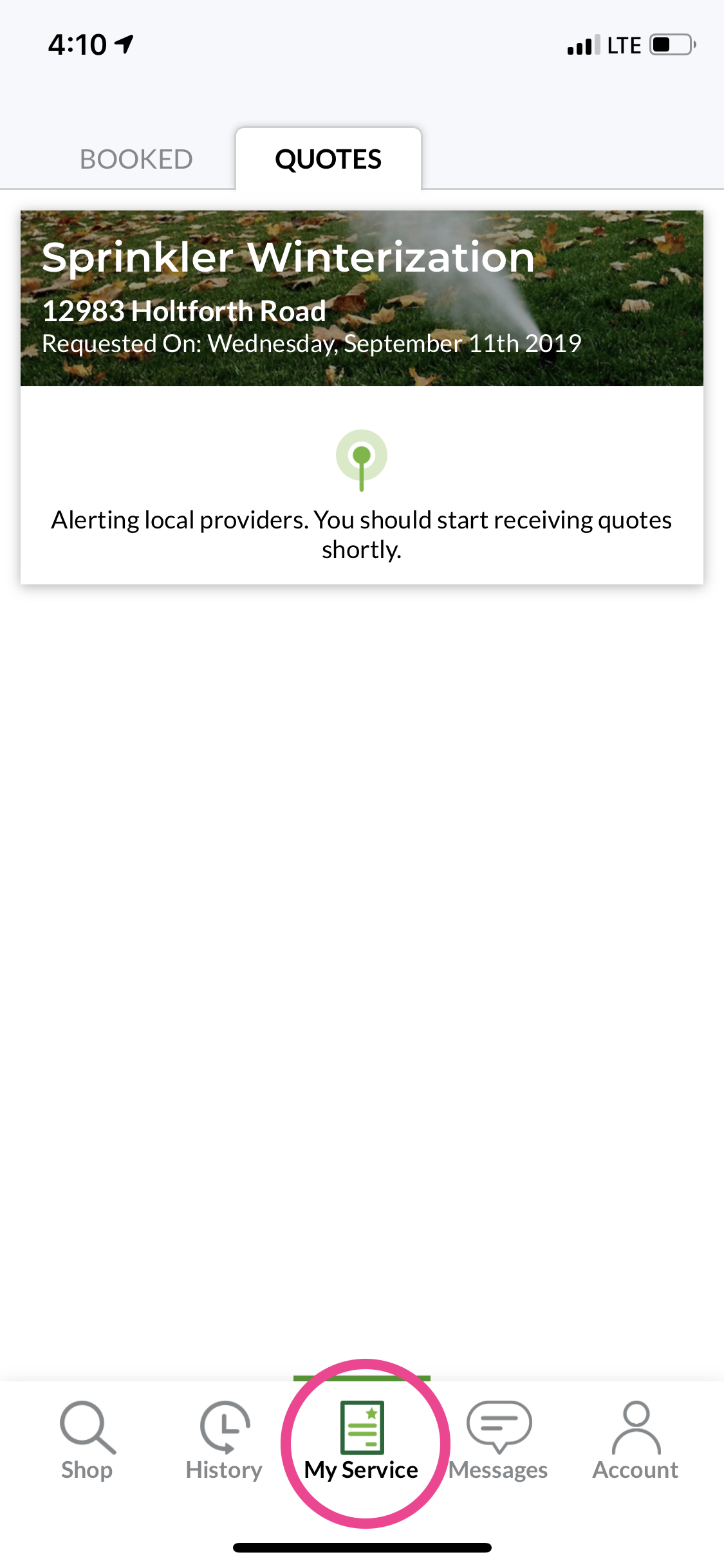
Open the LawnGuru app and tap My Service in the bottom navigation bar.
Tap the Quotes tab at the top of the screen.
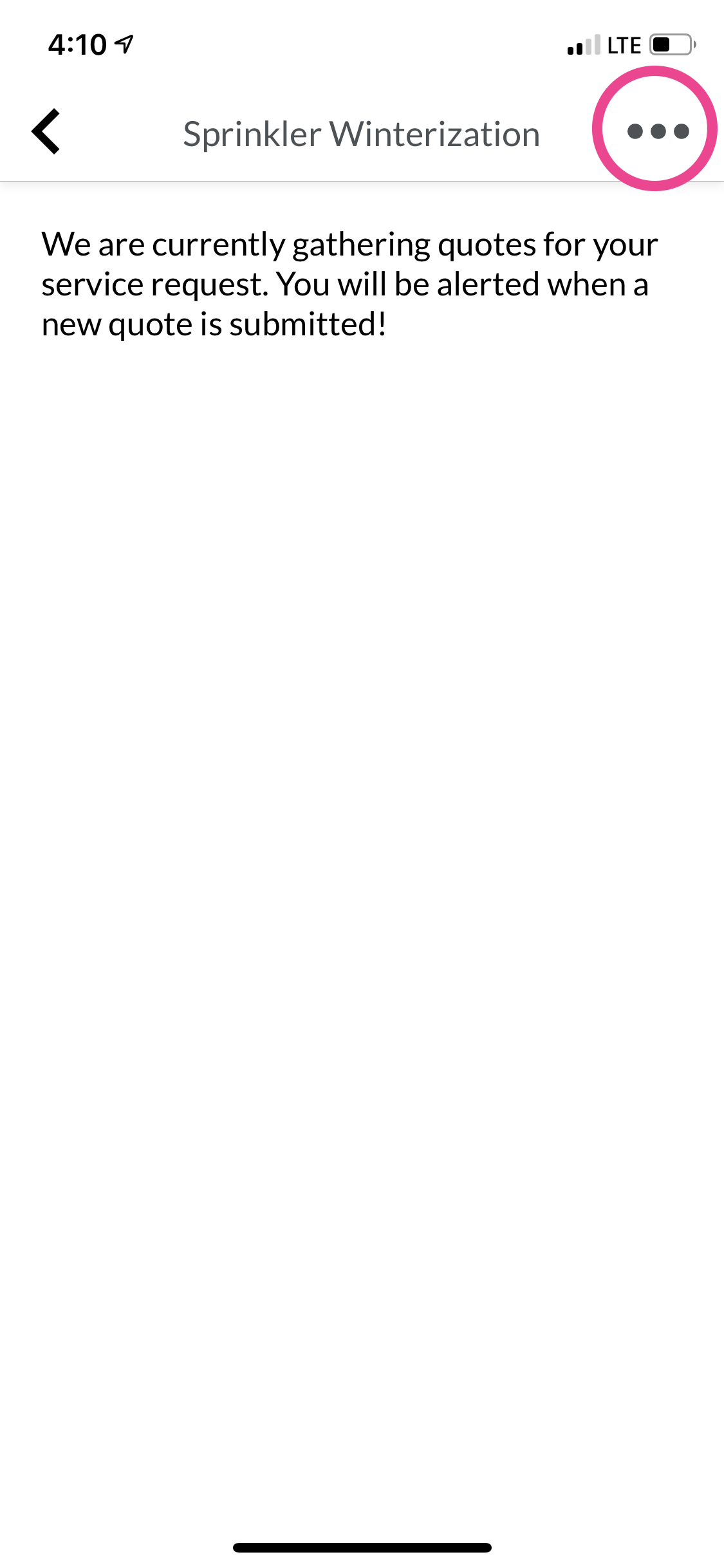
Select the specific Quote Request you would like to cancel.
Tap the Options (•••) button in the top right corner.
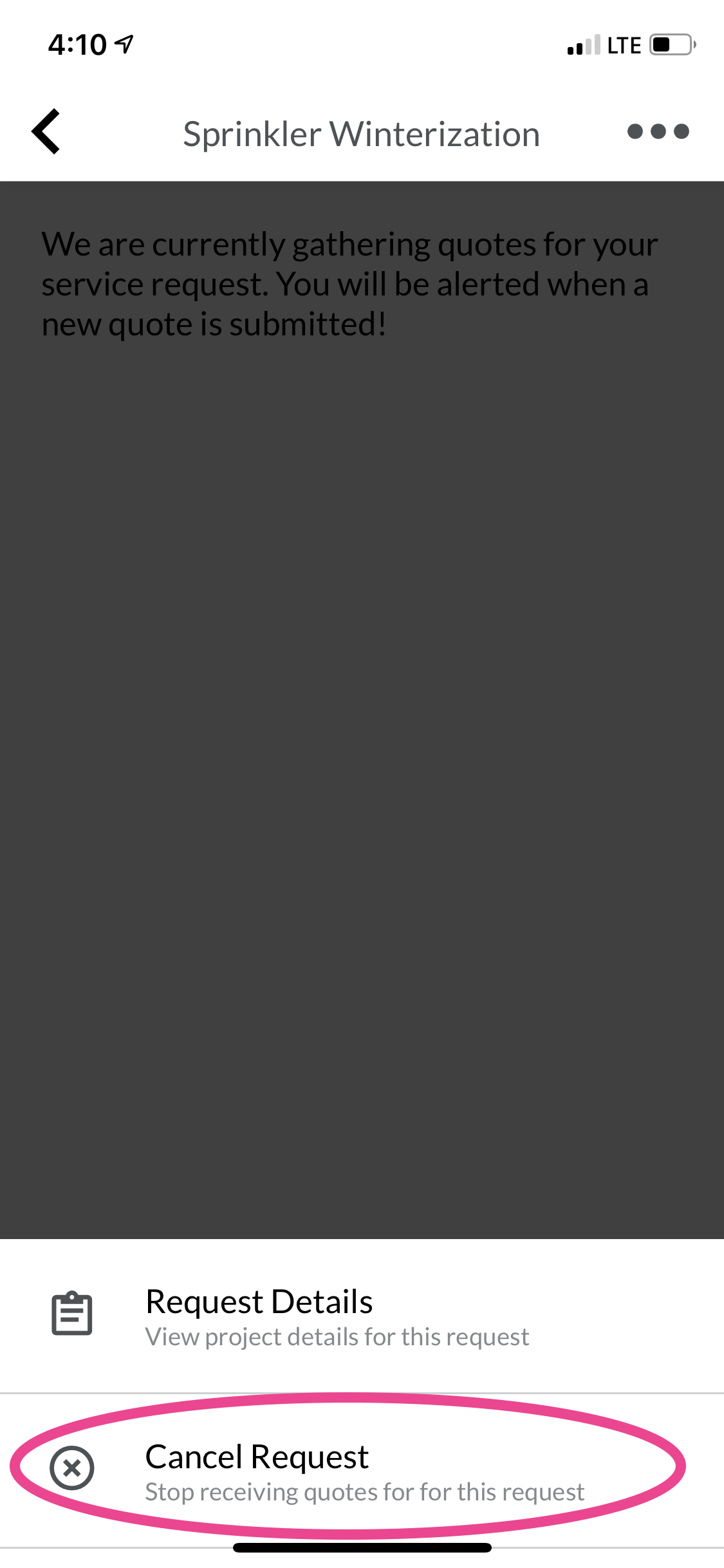
Tap Cancel Request and confirm.
Important distinctions
Pending Quotes: There is no fee to cancel a quote request that has not been accepted.
Accepted Quotes: Once you tap Accept on a provider's quote, the project is officially booked and moved to your active schedule.
Already Booked? If you have already accepted a quote and need to cancel the service, navigate to the My Service tab, select the active job, and follow the standard cancellation process. Please keep in mind that a cancellation fee may apply if the pro has already purchased materials or is scheduled to arrive within 24 hours.